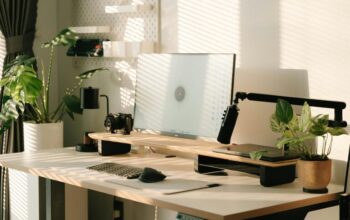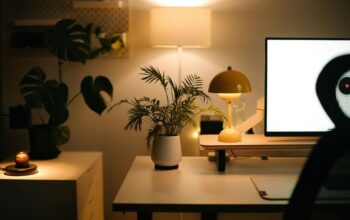
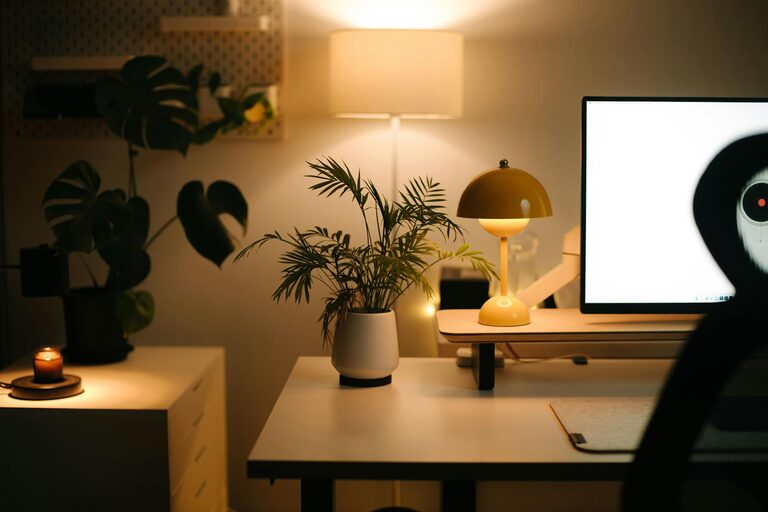
Creating a home workspace that feels both relaxing and productive can make a significant difference in your daily work routine. Whether you work remotely full-time or need a dedicated spot for occasional tasks, a well-designed area can help you stay focused, reduce stress, and improve overall comfort.
In this post, we’ll share practical tips to transform any corner of your home into a calming, efficient workspace.
—
Why a Relaxing Workspace Matters
Your surroundings greatly influence your mood and productivity. A cluttered or uncomfortable workspace can cause distraction and fatigue, while a calming environment encourages concentration and creativity. Designing a space that feels welcoming and tranquil can help you work better and enjoy your time at home more.
—
Choosing the Right Location
1. Find a quiet spot
Select a place in your home with minimal noise and interruptions. This could be a spare bedroom, a corner of your living room, or a section of your bedroom. Ensure you have some privacy from household activities.
2. Maximize natural light
Position your workspace near a window if possible. Natural light boosts mood and reduces eye strain. If window space is limited, invest in good-quality daylight lamps.
—
Comfortable and Functional Furniture
1. Invest in an ergonomic chair
Comfort is key when sitting for long periods. Choose a chair that supports your lower back and encourages good posture.
2. Use a suitable desk
Your desk should be the right height and size for your work needs. It should have enough surface area for your computer, documents, and other essentials without feeling cramped.
3. Consider a sit-stand option
Alternating between sitting and standing helps reduce fatigue and improve circulation. A desk converter or adjustable desk can offer this flexibility.
—
Organize with Purpose
1. Declutter regularly
Keep your workspace tidy by removing unnecessary items daily. Clutter can be distracting and cause stress.
2. Use storage solutions
Utilize drawers, shelves, or desk organizers to store stationery and documents neatly. Labeling can speed up finding what you need.
3. Limit electronics
Only include devices and accessories relevant to your work to avoid distraction and unnecessary clutter.
—
Personalize Your Space
Adding personal touches can make your workspace more inviting and boost your mood without overwhelming the area.
– Decorate thoughtfully: Use a few favorite photos, artwork, or plants to bring warmth.
– Choose soothing colors: Soft blues, greens, or neutrals can create a calming atmosphere.
– Incorporate aromatherapy: A subtle scented candle or diffuser with lavender or eucalyptus may increase relaxation.
—
Optimize Lighting and Screen Setup
1. Balance your lighting
Avoid harsh overhead lights that cause glare. Use desk lamps that provide focused, adjustable illumination.
2. Position your screen correctly
Place monitors at eye level about an arm’s length away to reduce neck strain and eye fatigue. Consider using an anti-glare screen protector.
—
Minimize Noise and Distractions
1. Use noise-cancelling headphones
These can be helpful if your workspace is near noisy areas.
2. Play background music or white noise
Soft instrumental music or ambient sounds can enhance focus and block disruptive noises.
3. Set boundaries
Communicate with family or housemates about your workspace needs and working hours to minimize interruptions.
—
Incorporate Movement Breaks
Long periods of sitting can decrease energy levels and productivity.
– Stand up and stretch every hour.
– Take a short walk around your home or outside to refresh your mind.
– Simple desk exercises can also help maintain mobility.
—
Maintain a Routine
Creating a daily schedule and sticking to it can enhance productivity.
– Start and finish your day at consistent times.
– Include set breaks for meals and relaxation.
– Organize your tasks with a to-do list or planner.
—
Final Thoughts
Designing a relaxing and productive home workspace is about balancing comfort, function, and personal style. Small changes like improving lighting, choosing comfortable furniture, and keeping your area organized can make a big difference. With a space that supports both your well-being and work needs, you’ll likely find yourself more focused, creative, and satisfied with your work-from-home experience.
Take your time setting up your workspace thoughtfully, and adjust as needed until it feels just right for you. Happy working!