
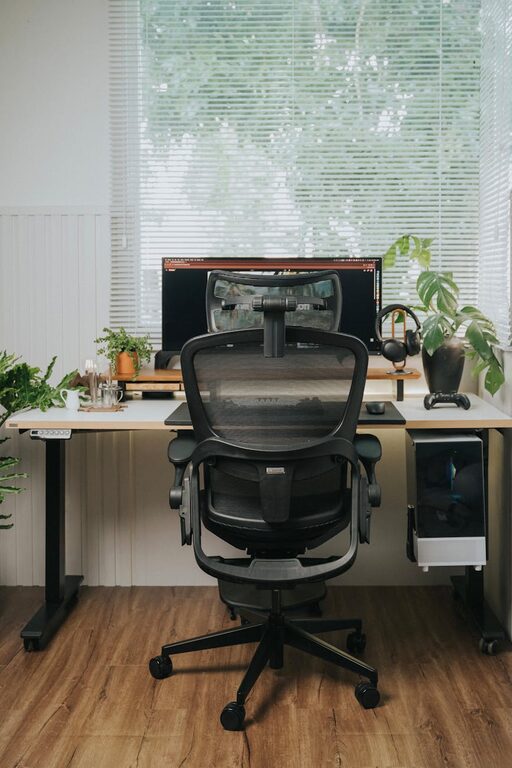
Creating a home office that is both cozy and productive can significantly improve your work-from-home experience. Whether you’re setting up a space for remote work, freelance projects, or personal tasks, the right environment helps you stay focused while feeling comfortable. This guide offers practical tips to design a home office that suits your needs and inspires your best work.
Choose the Right Location
Selecting the perfect spot for your home office is the first step. Ideally, pick a space that is quiet and has enough room for your desk, chair, and other essentials. It should be away from the main living areas to minimize distractions, but close enough to natural light sources.
Consider Natural Light
Natural light boosts mood and reduces eye strain. Position your desk near a window if possible. If natural light is limited, invest in good-quality artificial lighting like a desk lamp with adjustable brightness.
Invest in Comfortable and Ergonomic Furniture
Comfort is key when you spend hours working. Choose an ergonomic chair that supports your back and encourages good posture. Your desk should be at a comfortable height to keep your wrists and arms aligned properly when typing or writing.
Ergonomic Tips
– Use a chair with adjustable height and lumbar support.
– Keep your feet flat on the floor or on a footrest.
– Position your computer screen at eye level to avoid neck strain.
Keep It Organized and Clutter-Free
A tidy workspace helps clear your mind and improves productivity. Use storage solutions such as shelves, drawers, and desk organizers to keep items neatly arranged. Label containers and files to quickly find what you need.
Tips for Organization
– Declutter regularly to remove unnecessary items.
– Use cable organizers to manage cords and chargers.
– Keep only essentials on your desk to maintain focus.
Add Personal Touches for a Cozy Feel
Your office should feel inviting and reflect your personality. Incorporate soft textiles like cushions, rugs, or curtains to add warmth. Choose colors that you find calming or energizing depending on your preference.
Inspirational Decor Ideas
– Hang artwork or motivational quotes on the walls.
– Place a few potted plants to bring in nature and improve air quality.
– Use scented candles or essential oil diffusers for a pleasant aroma.
Optimize Technology and Connectivity
Ensure you have all the tech tools you need to work efficiently. A reliable internet connection is crucial. Invest in accessories that make your workflow smoother, such as headphones for virtual meetings, a wireless mouse, or a secondary monitor.
Tech Setup Tips
– Arrange your devices to minimize screen glare.
– Keep chargers and cables within easy reach.
– Use software that helps you stay organized, like task managers or calendars.
Create a Routine and Dedicated Work Hours
To boost productivity, establish clear working hours and stick to them. Having a routine signals to your brain when it’s time to focus and when to relax. If possible, separate your work area from spaces meant for rest.
Work-Life Balance Tips
– Take regular breaks to stretch and rest your eyes.
– Use a timer or app to manage work intervals.
– End the day by tidying your workspace to prepare for tomorrow.
Enhance Comfort with Temperature and Sound Control
Maintaining a comfortable temperature and managing noise levels can improve concentration. Use fans, heaters, or air conditioners as needed. Noise-canceling headphones or background music can help block distracting sounds.
Sound and Comfort Tips
– Choose calming music or white noise for better focus.
– If possible, insulate your workspace to reduce outside noise.
– Dress comfortably to maintain a pleasant body temperature.
Final Thought
Designing a cozy, productive home office takes some planning but pays off in better focus, comfort, and motivation. By combining practical furniture choices, smart organization, and personal touches, you can create a space that supports your work and well-being. Start small, and adjust your setup as you learn what works best for you.