
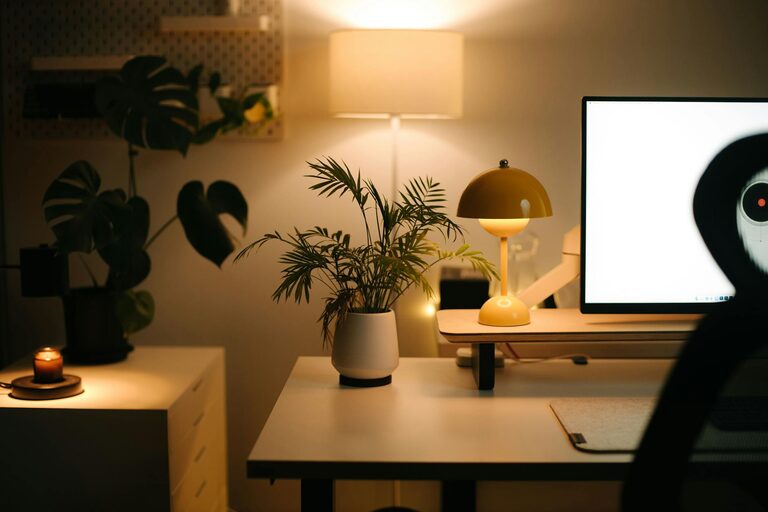
Creating a home workspace that balances comfort and functionality is essential in today’s world where many people work or study from home. A well-designed space can improve focus, reduce stress, and make your workday more enjoyable. Whether you have a dedicated room or just a small corner, these tips will help you create a cozy and efficient home office setup.
Choose the Right Location
Finding the perfect spot for your workspace is the first step. Ideally, it should be a quiet area with minimal distractions.
– Natural Light: Position your desk near a window to take advantage of natural light. This helps reduce eye strain and boosts mood.
– Privacy: If possible, select a space away from busy household areas like the kitchen or living room.
– Space: Ensure there is enough room for your desk, chair, and any equipment you need without feeling cramped.
Invest in Comfortable Furniture
Comfort is key when spending long hours at your desk.
– Ergonomic Chair: Choose a chair that supports your back and encourages good posture.
– Desk Size: Pick a desk that fits your tasks—large enough for your computer, documents, and a few personal items.
– Adjustability: Consider height-adjustable desks or chairs to customize your setup and prevent fatigue.
Organize and Declutter
A cluttered workspace can cause distractions and reduce efficiency.
– Storage Solutions: Use shelves, drawers, or organizers to keep supplies tidy.
– Cable Management: Tidy up cords with clips or cable boxes to avoid tangles.
– Minimalist Approach: Keep only essential items on your desk to maintain focus.
Personalize Your Space
Adding personal touches can make your workspace feel inviting.
– Decor: Include plants, artwork, or photos that make you happy but don’t overwhelm the space.
– Color Scheme: Choose calming colors that promote concentration, like soft blues or greens.
– Lighting: Use task lighting such as a desk lamp to provide adequate illumination during darker hours.
Incorporate Functional Technology
Technology can enhance your workflow when chosen wisely.
– Reliable Equipment: Invest in a good computer, monitor, and accessories that suit your needs.
– Connectivity: Ensure your internet connection is fast and stable.
– Tools: Use software or apps that help with time management and organization.
Create a Routine and Set Boundaries
An effective workspace also depends on your habits.
– Work Hours: Define clear start and end times to separate work from personal life.
– Breaks: Incorporate short breaks to stretch and recharge.
– Distraction Control: Set guidelines with family or roommates about your work time and space.
Add Comfort Enhancements
Small touches can increase your comfort and well-being.
– Temperature Control: Use fans, heaters, or windows to keep the space comfortable.
– Air Quality: Add an air purifier or plants to improve air circulation.
– Comfort Items: Keep a cozy blanket or cushion nearby for added comfort during long hours.
Maintain and Refresh Your Workspace Regularly
Keeping your space fresh can maintain motivation.
– Weekly Clean: Dedicate time to tidy and dust your area.
– Update Decor: Change elements like wall art or desk accessories seasonally.
– Reassess Needs: Periodically review your setup to make improvements or upgrade equipment.
—
Creating a cozy and functional home workspace doesn’t require a huge budget or a large room. By choosing the right location, investing in comfortable furniture, staying organized, and personalizing your space, you can build an environment that supports your productivity and wellbeing. Remember, your workspace should inspire you to focus and feel at ease throughout your day.